Tax preparation
Tax-filing agent
Where it fits in Soundboard
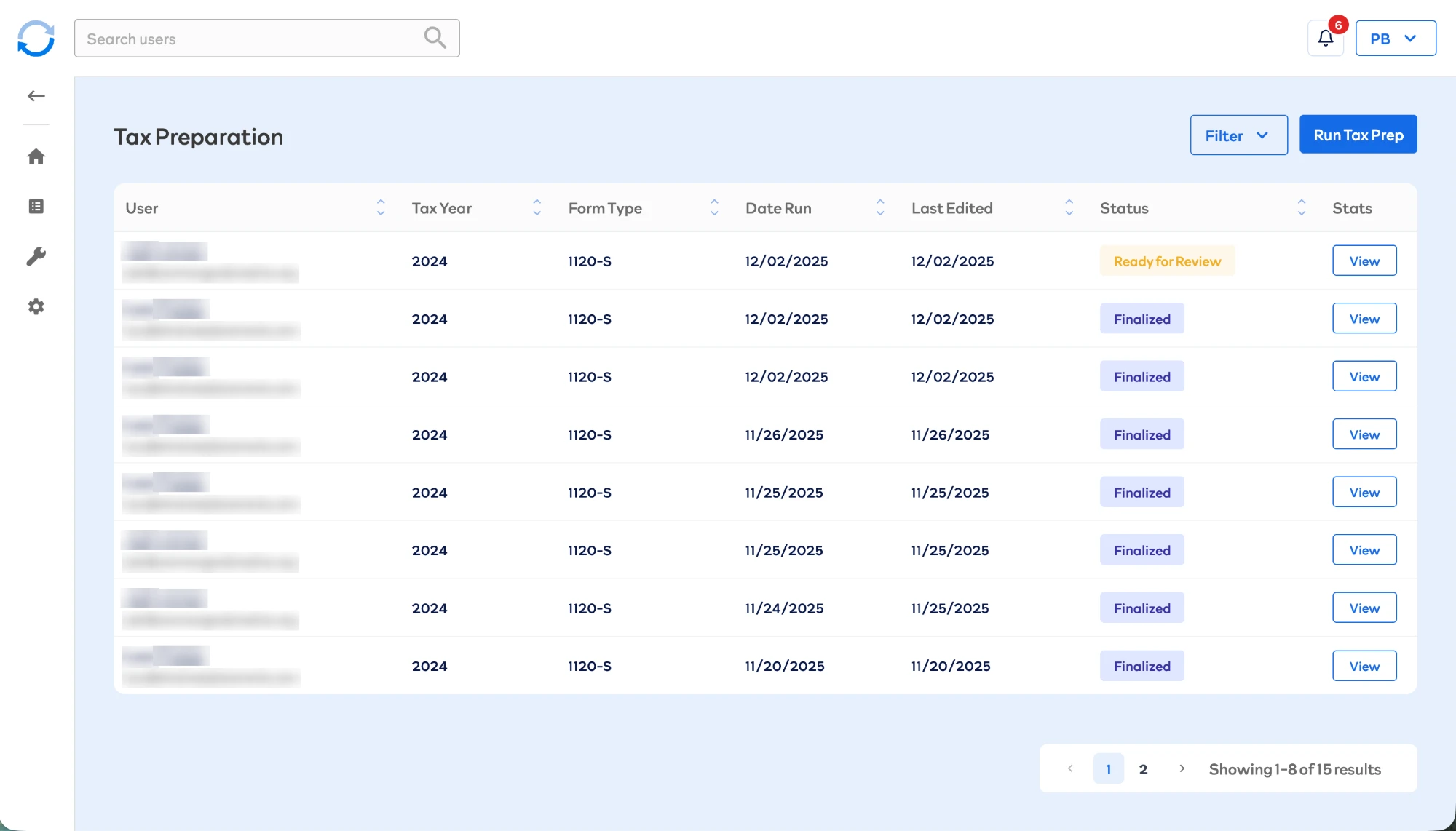
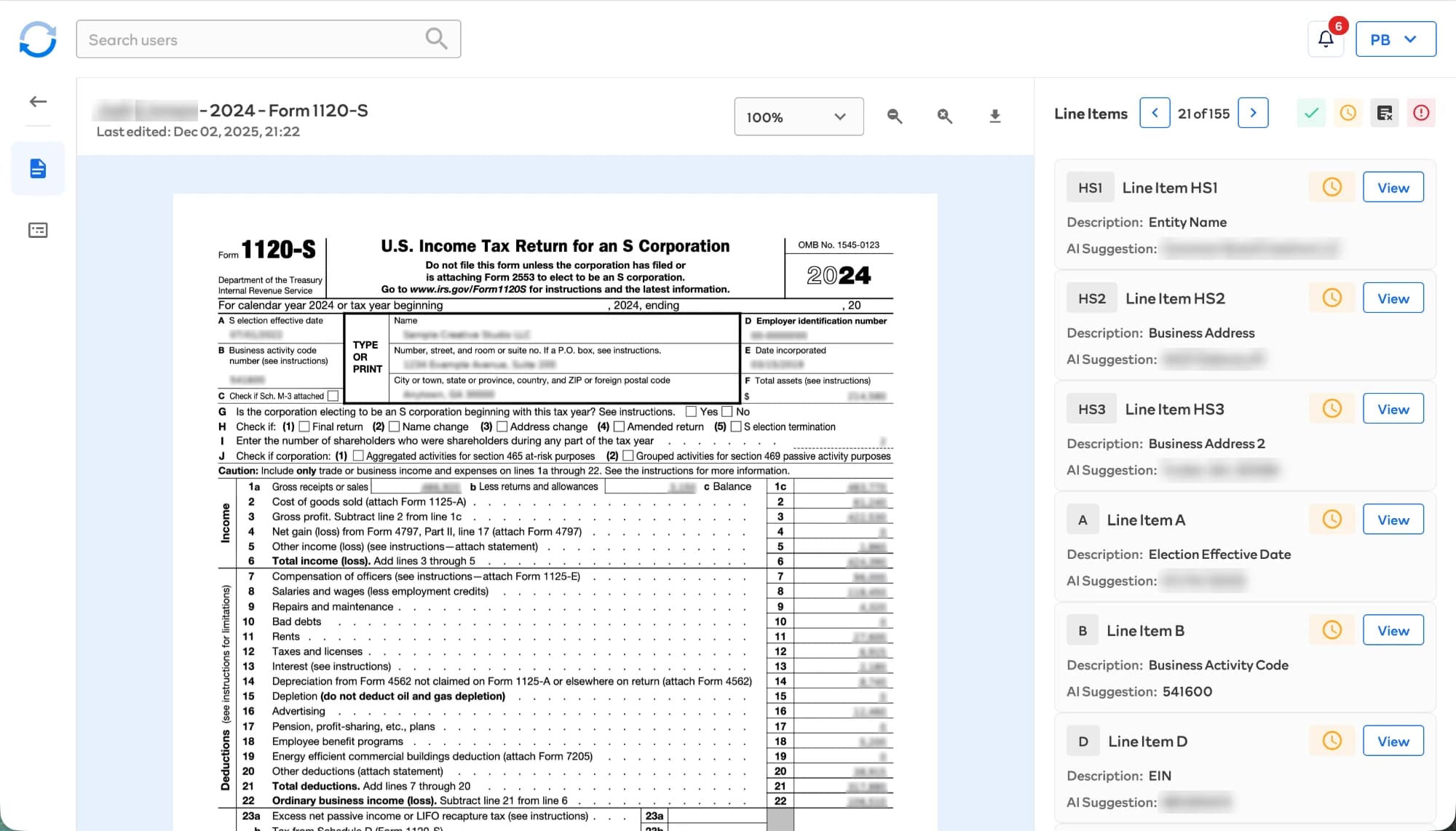
Soundboard's tax preparers file S-corporation returns (Form 1120-S) for clients. A preparer starts a run from the Tax Preparation dashboard, and in about 15 minutes the agent works through all 155 line items on the return using the client's QuickBooks financials, uploaded documents, prior-year returns, and answers to preparer questions. The return then moves to "Ready for Review," where the preparer goes through each line item next to a live preview of the form, accepting or correcting it before the return is finalized and filed. Every correction is saved and used to improve future runs.
Problem and origin
S-corporation returns are among the more expensive returns to prepare, but most of the work is mechanical: dozens of interdependent line items, each assembled from calculations, prior-year carryforwards, source documents, and financial statements. National Society of Accountants fee data puts an S-corporation return at roughly five hours of billed preparer time. Expensive but structured made it the best first target for automation. I built the agent alone in one month in 2025.
Constraints
Numbers that can be calculated must be calculated, never generated. Line items depend on each other, so they have to be resolved in the right order. Each client's documents must stay separate from every other client's. A preparer signs off on every line item, so every value has to show where it came from. And when the agent can't find the evidence for a number, it has to say so instead of guessing.
Architecture
The form's 155 line items are defined in the database, each with its type, its sources, the tools it's allowed to use, and the other line items it depends on. A run builds a dependency graph from those definitions, rejects any cycles, and sorts the items into batches so each one runs only after everything it depends on is resolved. A full return resolves in 8 batches. Up to 15 line items run at once, which lets items from different parts of the graph move forward together without the slowdowns and timeouts I saw at higher concurrency.
- 1
Line item definitions
155 in the database, each with its type, sources, allowed tools, and dependencies
- 2
Build the graph
Cycles are rejected
- 3
Sort into batches
8 batches for a full return
- 4
Run batch by batch
Up to 15 line items at once
Batch 1
Batch 2
Batch 3
Batch 4
Batch 5
Batch 6
Batch 7
Batch 8
Each batch starts only after the items it depends on are resolved.
50 deterministic line items
Calculations, carryforwards, and client-provided information. Computed in code, never sent to a model.
105 AI line items
Resolved through the AI pipeline.
Line items are routed by type. The 50 deterministic ones (calculations over other line items, values carried forward, and information the client provided) are computed in code and never reach a model. The other 105 go through the AI pipeline.
For each AI line item, TypeScript first resolves everything the item is allowed to see: client information, the results of the items it depends on, values extracted from prior-year returns and tax forms, QuickBooks figures, document search over the client's files, and, where configured, IRS web search. That context is hashed and saved before the model runs. The model can then call read-only tools to look up specific values within it, such as a prior-year line, a QuickBooks account total, or an extracted form field, for at most two rounds.
The prompt also includes past preparer corrections on similar line items: the system pulls the 20 most similar and keeps three approved examples and one corrected one. A Python service runs the call, with models from OpenAI, Anthropic, and Google each assigned to the line items they handle best, and returns a value with a confidence level, a short rationale, and the full reasoning behind it.
Document search is hybrid. Each chunk is stored once with both a dense embedding and a sparse keyword vector, Qdrant fuses the two result sets with reciprocal rank fusion, and a cross-encoder re-ranks the top 50 down to 5. Sparse matching catches exact values like an EIN or a specific dollar figure that dense embeddings can rank poorly.
Uploaded tax forms are extracted into structured fields by Claude reading the PDF directly, and every document also goes through OCR. Every extracted value must appear in the OCR text of the page it came from; if it doesn't, the field is flagged for review, and a value that appears nowhere in the document is never saved.
One line item, end to end
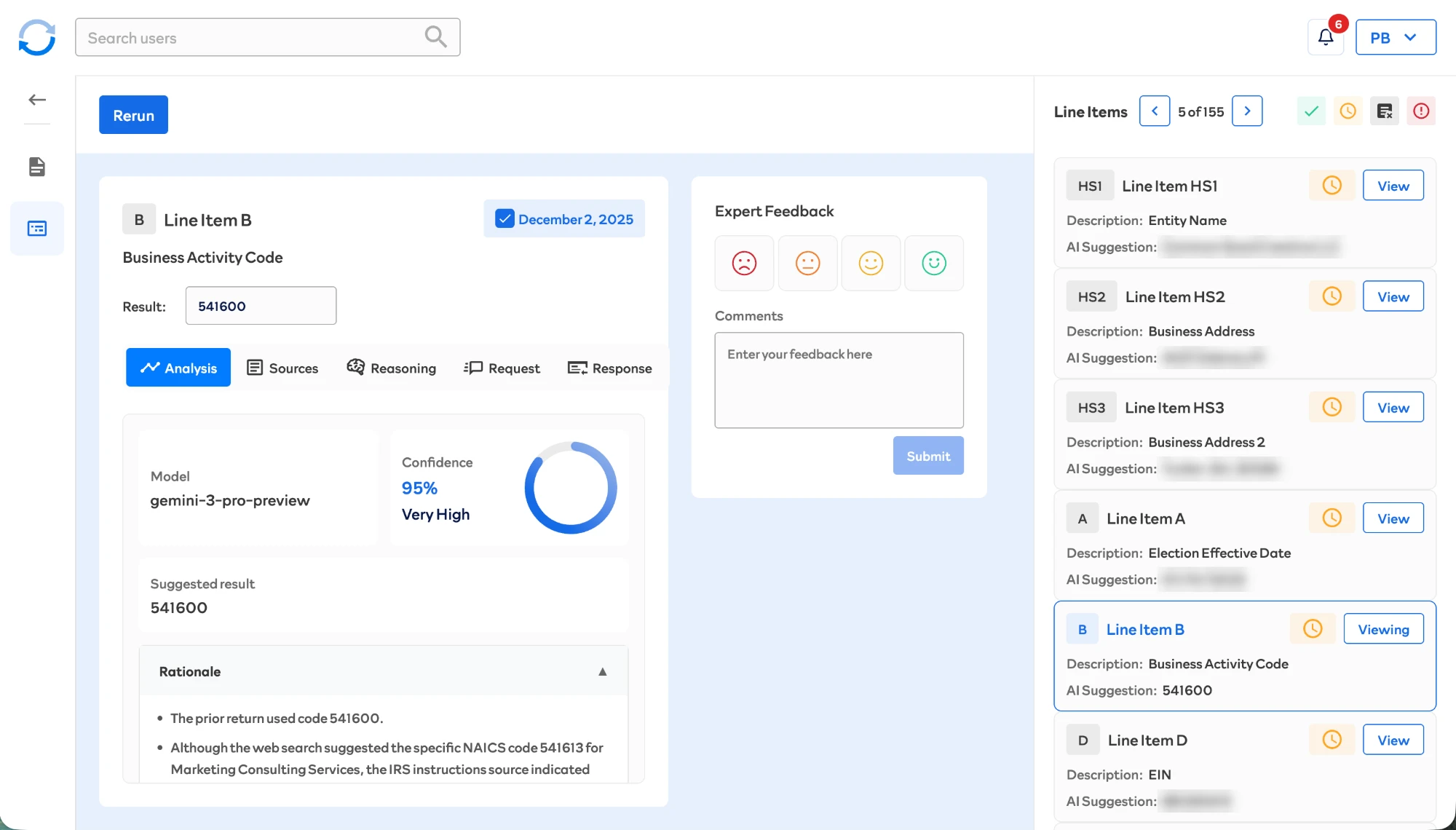
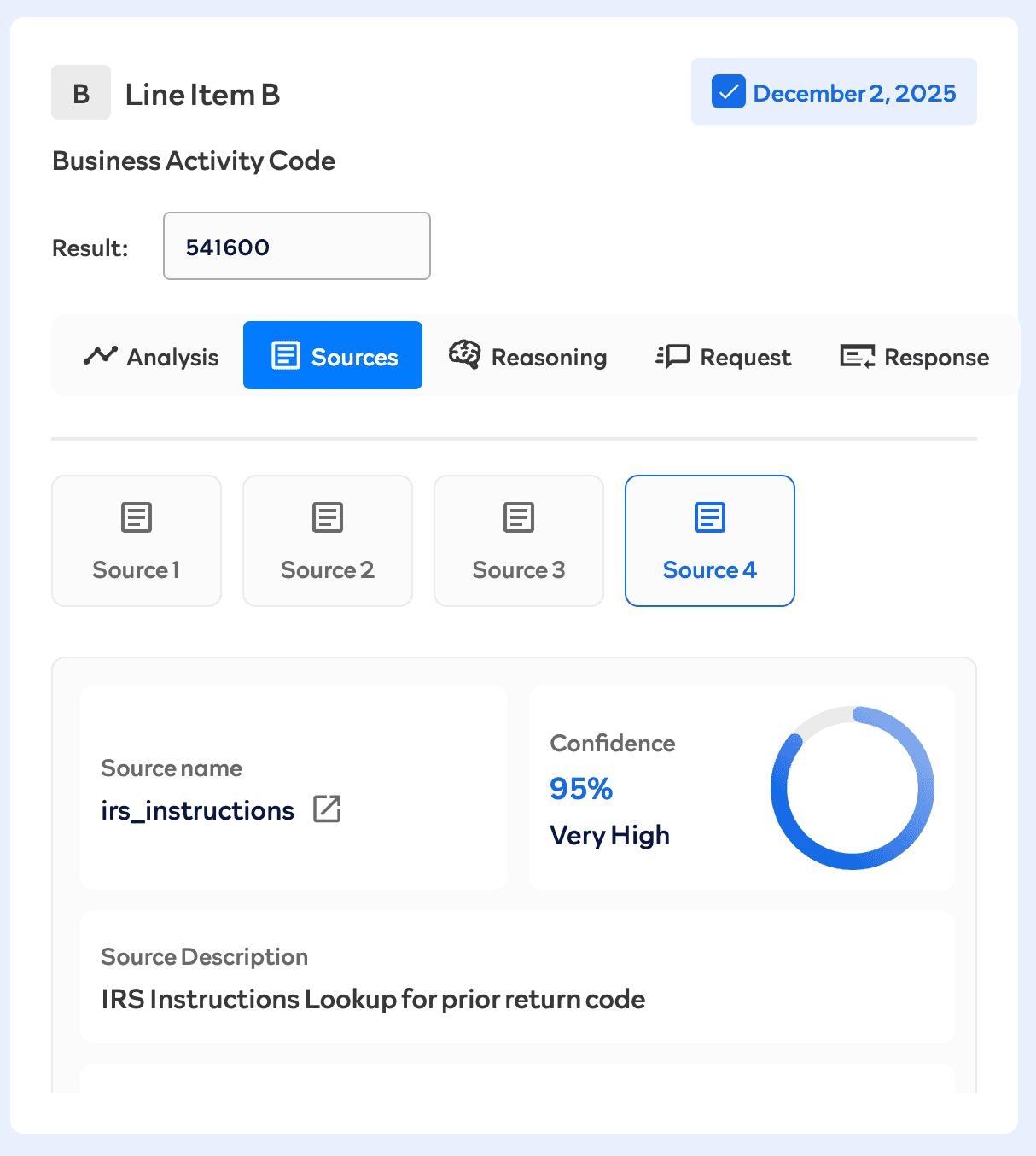
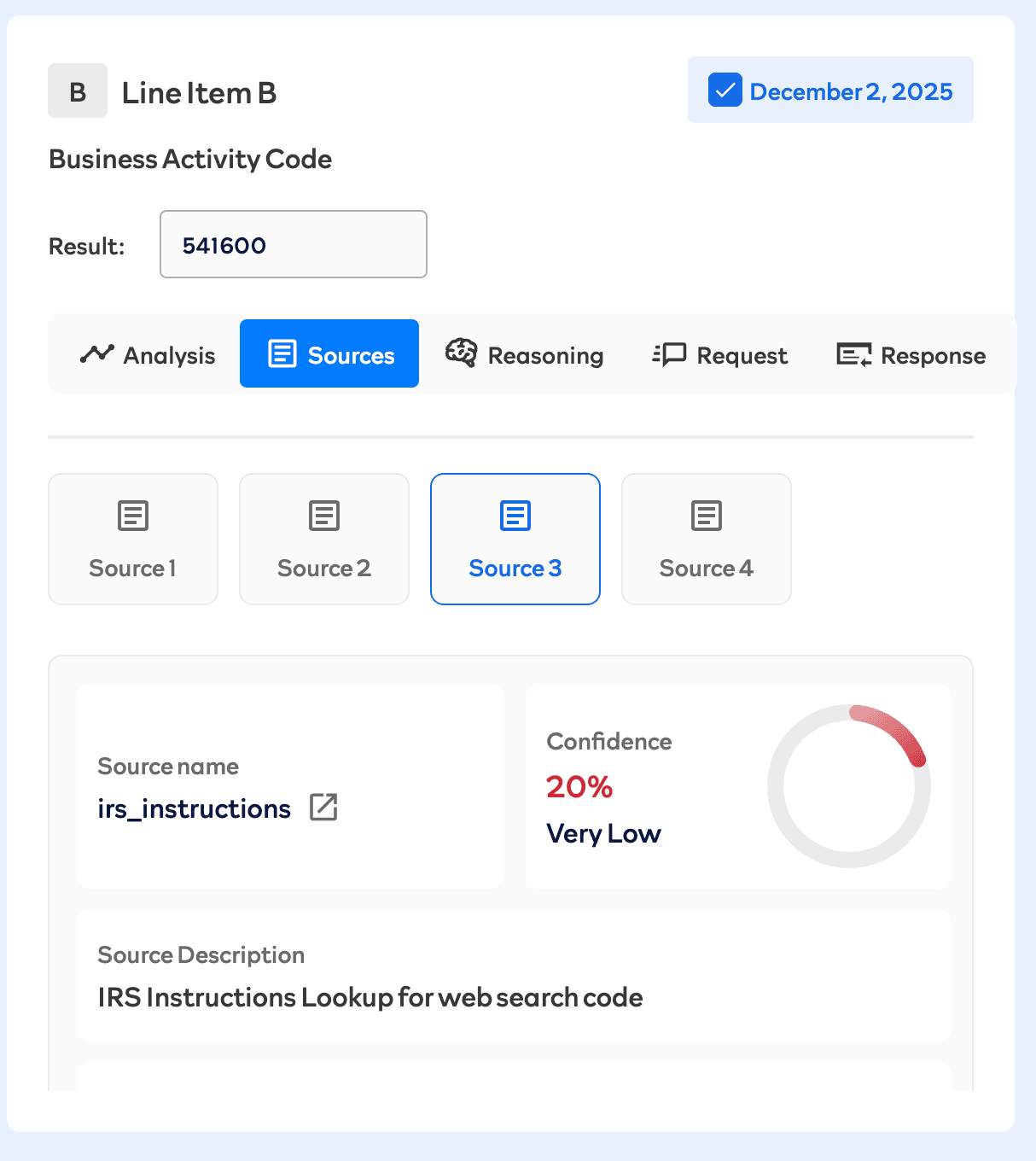
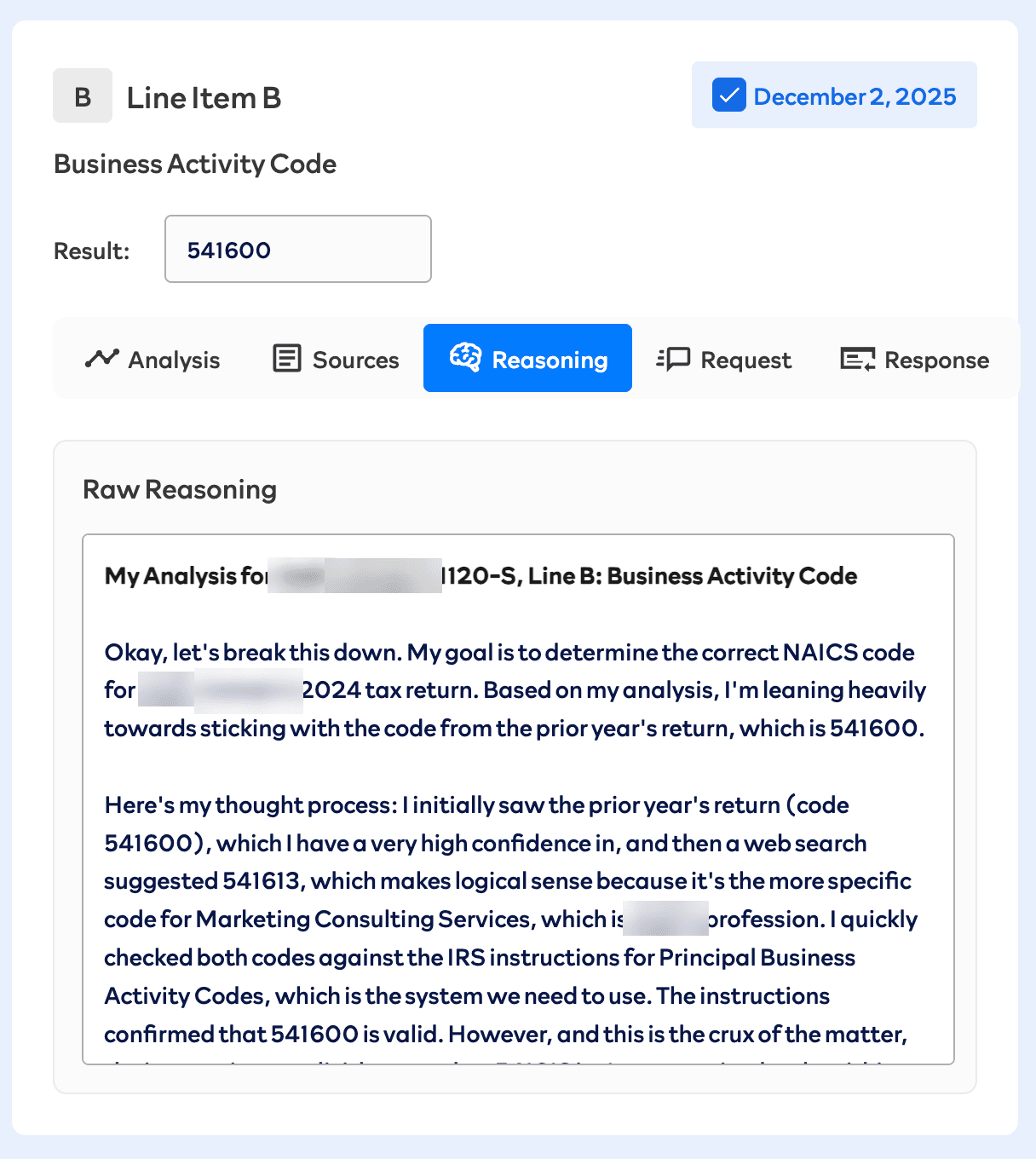
Line B asks for the business's activity code, a six-digit code from a fixed IRS list. On one return, the sources disagreed: the prior-year return used 541600, while a web search about the business suggested 541613, a more specific code for its kind of work. Both went through an IRS instructions lookup, which rated the prior-year code highly (95%) and the web search's code low (20%). The model kept 541600 with very high confidence, and its rationale explains exactly that conflict and how it resolved it. The preparer sees all of it: the result, each source with its own confidence, the model's reasoning, and the raw request and response, along with a place to rate the answer and leave a correction.
Key decisions and tradeoffs
About a third of the line items never touch a model. Anything that's arithmetic, a carryforward, or information the client gave is computed in code, so it stays exact.
Tools that can't fetch anything. The model's tools only look up data that was resolved and saved before the call. No tool touches the network, the database, or the clock, so replaying a run reproduces the same tool calls exactly. That's what makes regression testing possible, and it keeps the Python service from ever calling back into the TypeScript side. The tradeoff is that a line item can only see what its configuration grants it; if it needs more, the fix is in the configuration, not a smarter tool.
A tool cap that fails safe. Two rounds is enough to find what's missing and use it. A third round stops the item and marks it "insufficient" for the preparer instead of saving a truncated answer as a value. How often items hit the cap is tracked, because hitting it means the line item's configuration is wrong.
Saying "insufficient" is a correct answer. When the evidence isn't there, the agent returns insufficient rather than a plausible number, and the evaluation scores a correct refusal as a success.
Every source carries its own confidence. Sources often disagree, as they did on line B. Instead of handing the model a pile of text, each source arrives with its own confidence, so the model's job is to weigh evidence it can see, and the preparer can see the same evidence when reviewing.
Web search can only use IRS sources, enforced three times. The configuration requires an allowed domain and can only narrow the allowlist, the search provider's own domain filter is set to irs.gov, and every returned citation is checked against the allowlist in code. Anything outside it is stripped and recorded, so the preparer sees that a source was removed.
Corrections become examples. When a preparer rates or corrects a line item, the feedback is stored as a learning case, and future runs on similar items see it. Including one corrected example alongside approved ones shows the model a specific mistake to avoid. There are 5,460 learning cases stored.
Evaluation and reliability
I validated the agent against 35 returns prepared by a CPA, comparing every line item. 34 matched. The one mismatch was the business activity code.
A golden set built from preparer validations is replayed by hand after every prompt or agent change and before each deployment, split by time so a correction never leaks into a replay of the run it corrected. It scores accuracy (currency within $1 or 0.5%), how often retrieval missed the evidence entirely, how many errors are attributable to retrieval, whether each value appears in a cited source, tool usage and cap hits, and whether confidence levels match actual accuracy.
Every AI execution is logged with the raw request and response, the model, token usage, cost, and confidence, and document search stores the dense, sparse, and re-ranking score of every chunk it returned. Any value a preparer sees can be traced back to exactly what the model was given.
Results
- 35 returns prepared in production, each checked against a CPA-prepared return; 34 matched on every line item.
- Halved CPA review time per return, from about two hours to one.
- A full run takes about 15 minutes and costs about $2.61 in model usage.
- Soundboard's tax client base grew from 90 to 180 without adding preparers.
What I'd do differently
I'd enforce fixed-list values in code from the start. The one return that didn't match got the business activity code wrong, and that code comes from a fixed IRS list. Today the IRS instructions lookup is a source the model weighs, as line B shows, so a code can still get through if the model weighs the evidence wrong. In the transaction categorizer, anything outside the allowed list is rejected in code once the model responds, and I'd apply that same hard check to every line item with a fixed set of valid values.