Client operations
Client summary pipeline
Where it fits in Soundboard
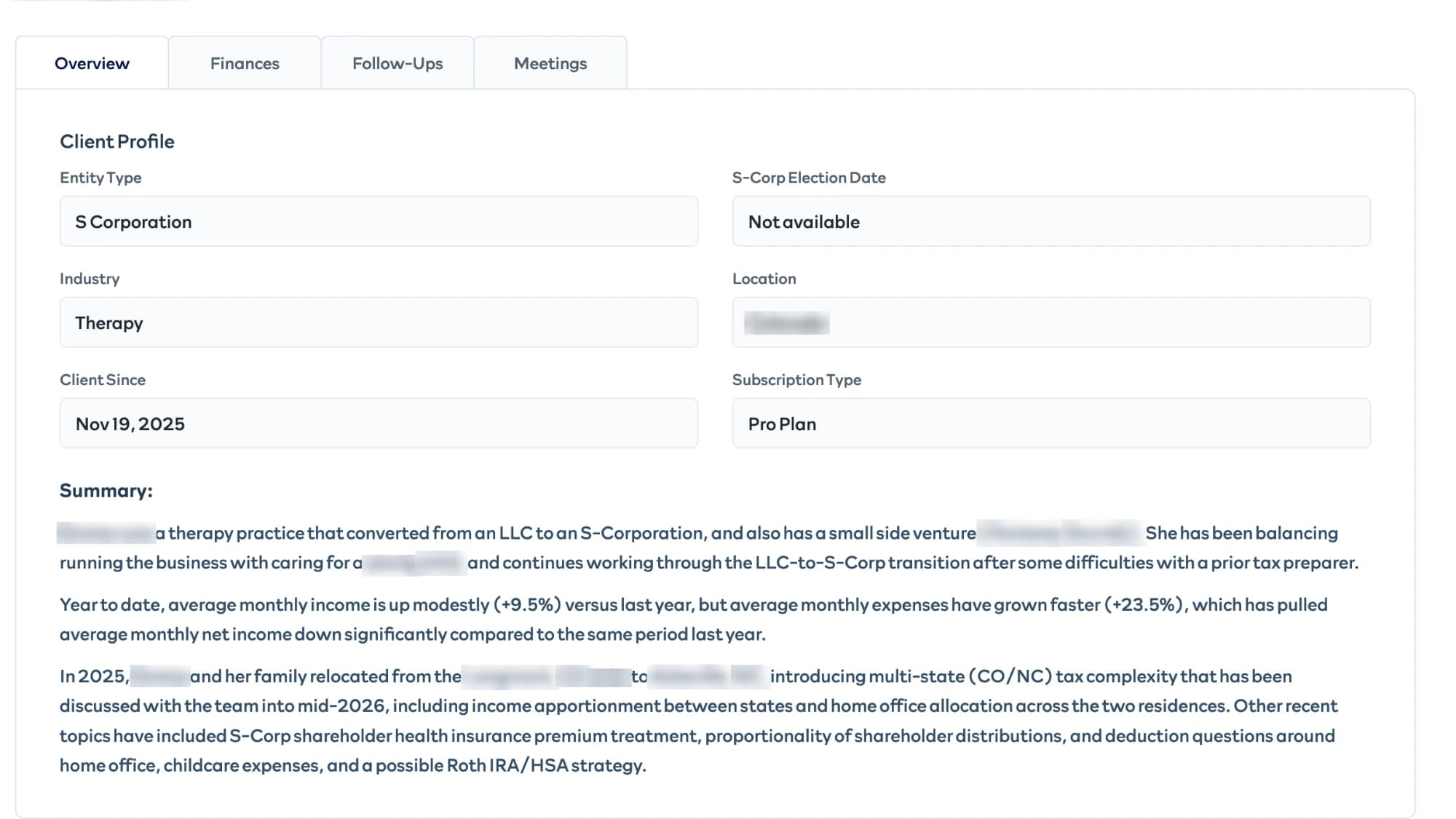
Before every client call or filing, a Soundboard tax preparer opens the client's summary: a snapshot of the business, its financials, and the open questions and recurring concerns the client has raised. The summary is built from seven sources across three systems: the client's onboarding form, Q&A, and tax deduction questions from Soundboard's own database, financials from QuickBooks, and notes, emails, and meetings from HubSpot. Every client got a summary when the feature launched. After that, summaries refresh on demand, so tokens are only spent on summaries someone is about to read, and a refresh takes about a minute.
Problem and origin
This came from a tax preparer in a routine monthly call. As Soundboard's client base grew, preparers were spending about 30 minutes per client piecing together context before every call or filing. I asked the preparers what they actually needed: company basics, a business summary, financials, recurring concerns and open questions, and past meeting history. Then I mapped each need to where that information already lived. I built it in under a week in 2026.
Constraints
Preparers act on the summary directly with clients, so the financial figures can't come from a model's arithmetic. Follow-ups have to point back to what the client actually said and where. And since this runs against real client data, a failure in one source has to leave a partial summary rather than a wrong one or none at all.
Architecture
TypeScript owns orchestration, state, and reliability. Python builds the prompts and calls the models. Each of the seven sources has its own agent, and each source keeps a record of when it last synced, so a refresh only processes records that changed since then.
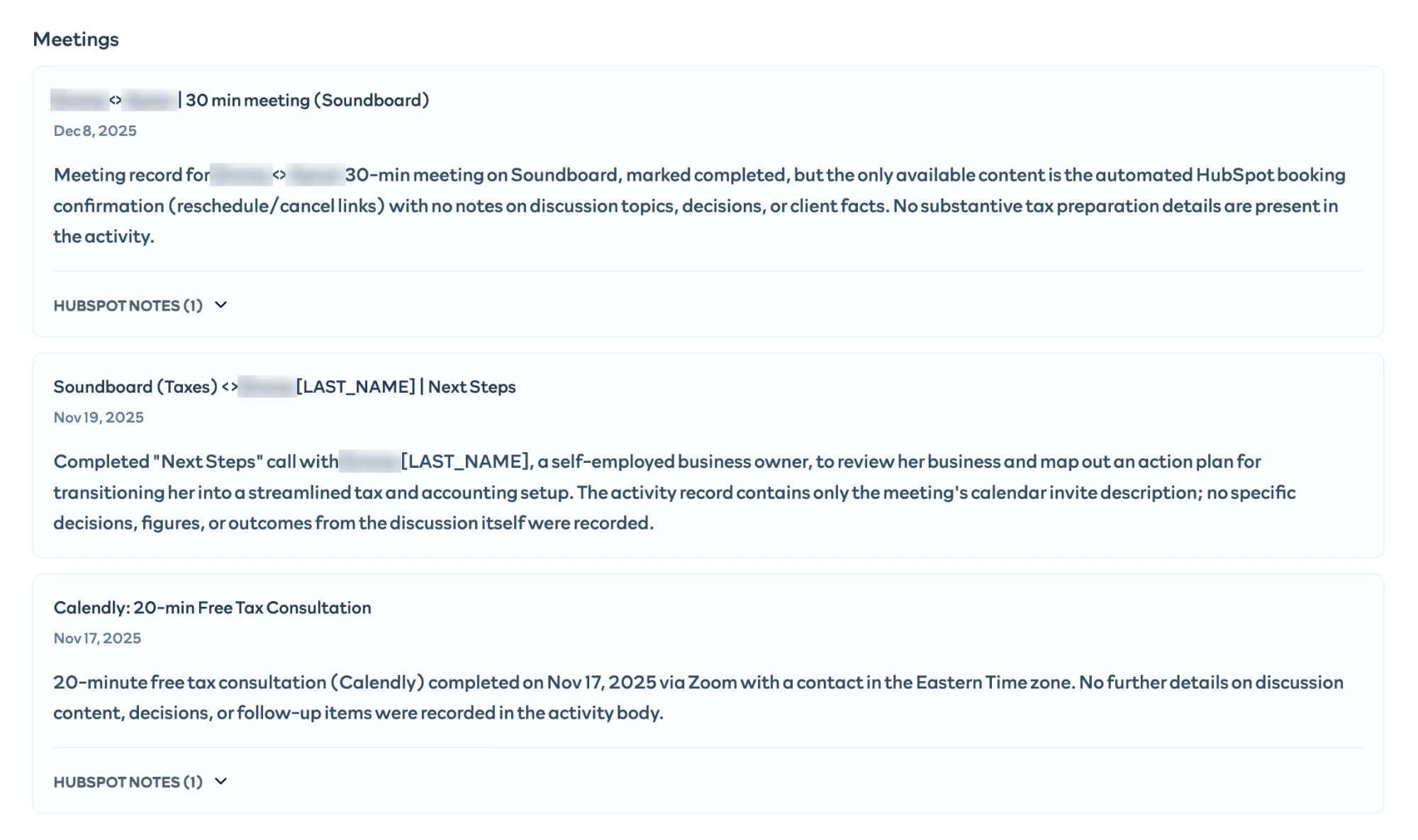
Financials are computed in code from QuickBooks data (monthly revenue, expenses, net income, and transaction counts, plus period averages and year-over-year comparisons) and shown to the preparer as a table. The models only ever see those computed results, with instructions not to recalculate them. The Snapshot agent turns the onboarding and QuickBooks summaries, plus context on how the client's concerns have evolved, into a short overview of the business.
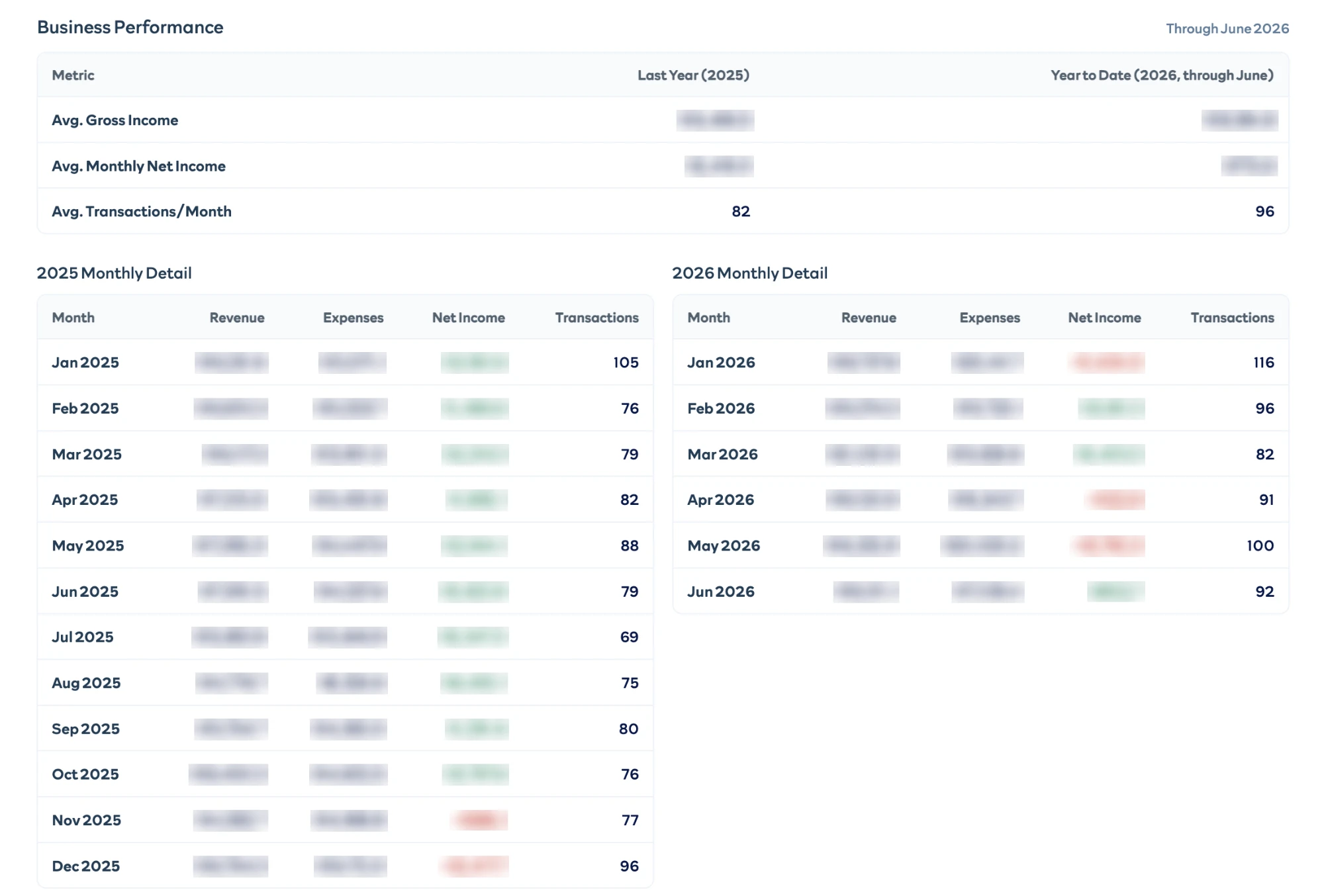
Models are assigned per agent. The structured sources (the onboarding form, Q&A, and QuickBooks), HubSpot notes, and the correction router run on GPT-4o mini. The emails, meetings, and deduction questions, where clients write freely, and the three stages that build the final summary run on Claude Sonnet 5.
Follow-ups
Follow-ups run as a separate three-stage pipeline:
- Classify. Each new item from a source (a note, an email, a meeting) is classified against that source's existing themes: it reinforces a theme, resolves one, starts a new one, or is ignored. The output follows a strict schema, and any theme it points to is checked in code against the themes that actually exist.
- Join. Themes that changed are clustered across sources into concerns, so a question raised in one place and again somewhere else becomes one concern rather than two.
- Decide. A follow-ups agent creates, updates, or merges follow-ups and marks each one open or resolved. Rules in code can override its decisions, and the whole pipeline skips when nothing has changed.
For example, one client asked in Q&A for help calculating home office expenses, and separately asked a deduction question about the electricity cost of running their computer. Each source filed its mention under its own theme, "Home office deduction eligibility" and "Computer electricity expense calculation." The join step recognized them as the same concern and grouped them into a single follow-up, "Guidance on calculating home office deduction expenses." It stayed open until August, when the follow-ups agent marked it resolved based on later activity in the sources.
1Each source files its mention under a theme
Q&A
The client asked for help calculating home office expenses.
Home office deduction eligibility
Deduction questions
The client asked about the electricity cost of running their computer.
Computer electricity expense calculation
2The join step groups them
Two themes from two sources are recognized as the same concern, so it becomes one concern instead of two.
3The follow-ups agent decides
Guidance on calculating home office deduction expenses
Open until August, then marked resolved based on later activity in the sources.
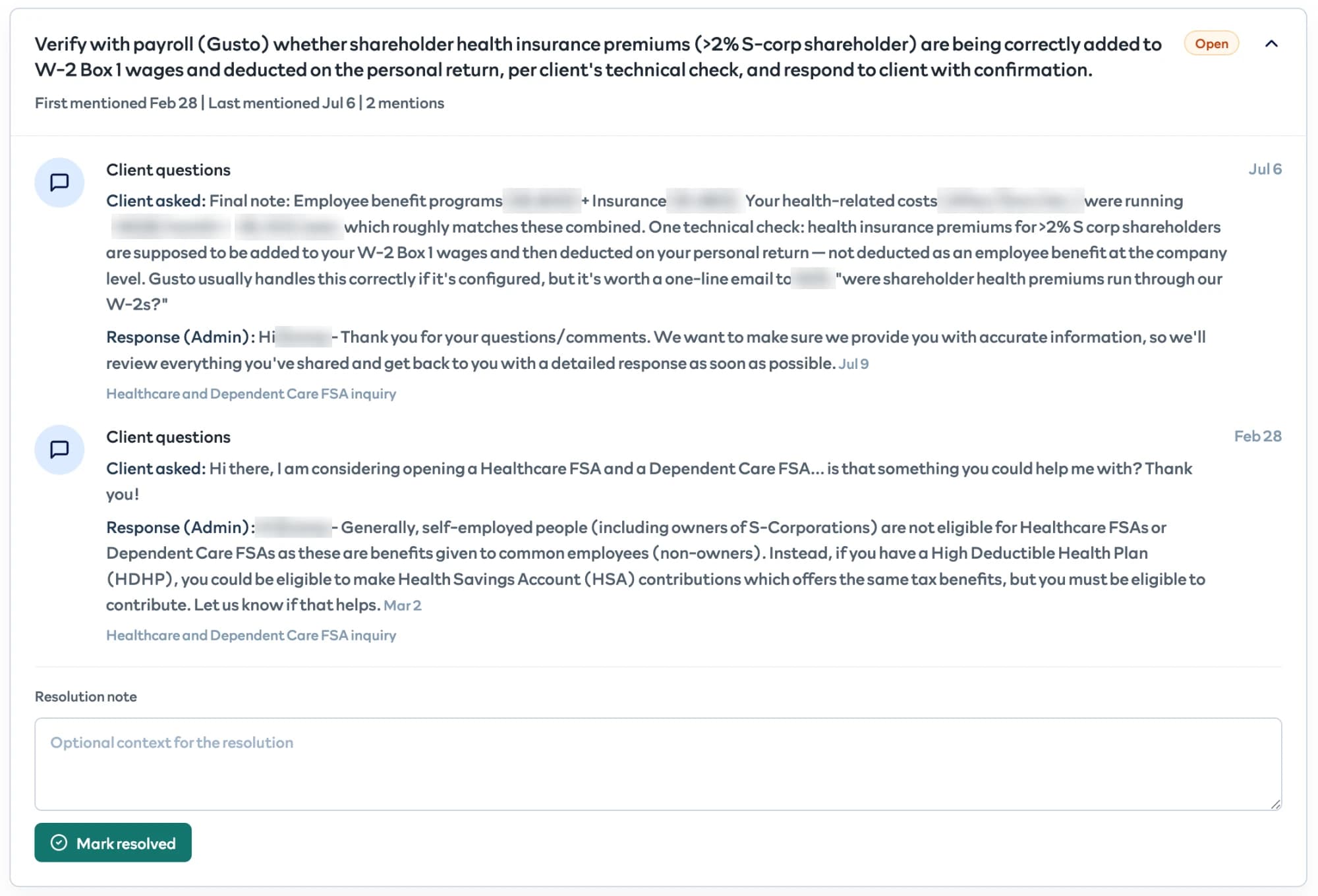
Some concerns run for months: one client's question about splitting home office costs across a mid-year move collected 16 mentions over seven months.
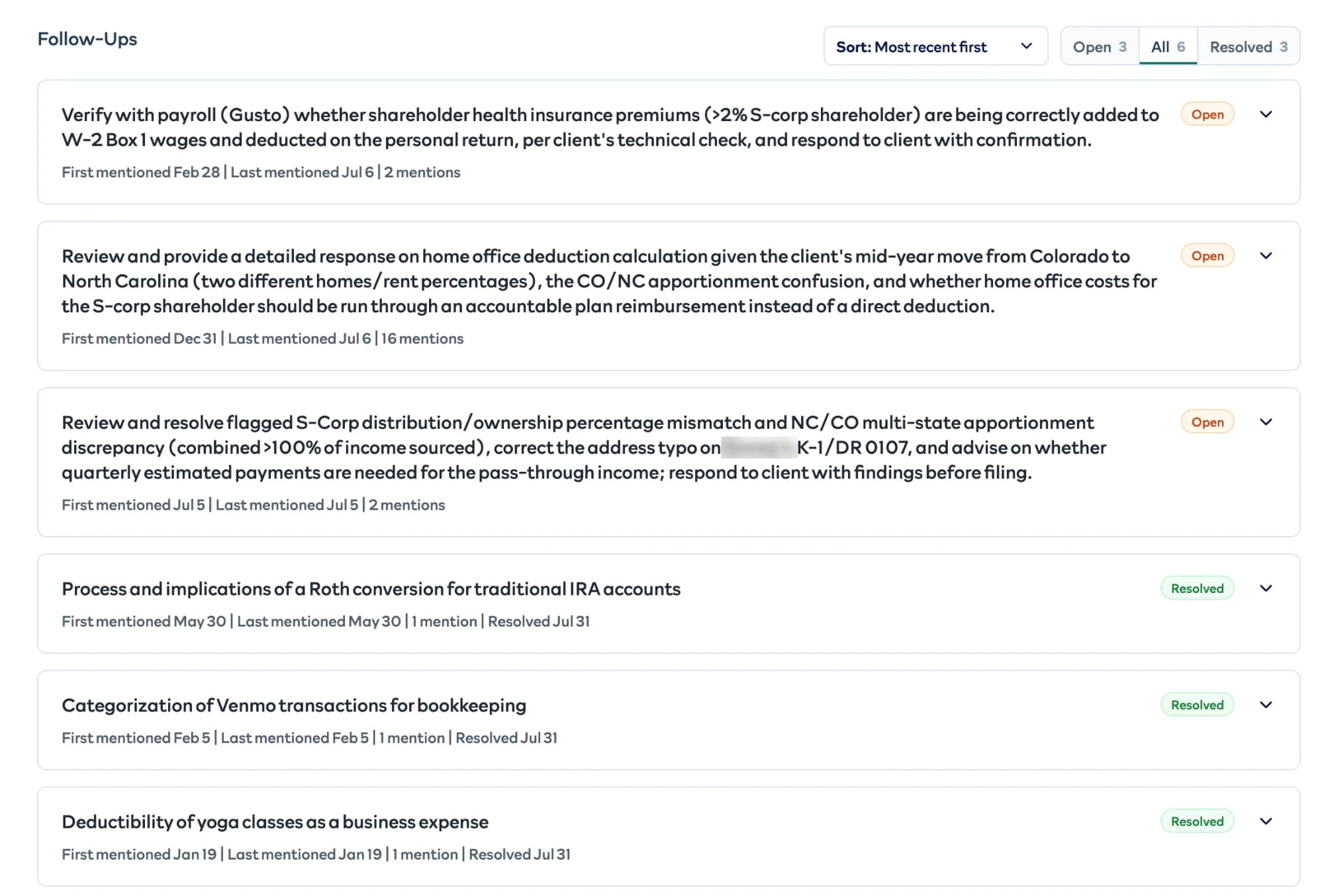
Every mention keeps the ID of the record it came from, its date, and a snippet, so any follow-up can be traced back to the exact question, note, email, or meeting that raised it.
Reliability
Runs are claimed with a two-minute lease and keep it with a heartbeat every 30 seconds. A recovery sweep every 30 seconds picks up runs whose worker died, so a crashed run is claimed again once its lease expires. Calls to the Python service retry automatically. A run moves through queued, running, completed, partial, and failed, and a run where some sources fail ends as partial rather than failing the whole summary. If a refresh is requested while an identical one is already running, it joins the existing run instead of starting a second one. Every successful model call is logged with its prompt, token usage, cost, and output.
Corrections
When a preparer corrects something in a summary, a routing agent decides which part of the pipeline the correction belongs to: a source, the Snapshot, a meeting, or an email. Meeting and email corrections are only routed when the agent's confidence is medium or high. If the preparer marks a correction as recurring, it becomes a standing directive that's added to the relevant agents' prompts on every future run. Corrections have been rare: preparers have submitted four since launch, and one became a standing directive.
Key decisions and tradeoffs
Math in code, interpretation in the model. The figures a preparer relies on are calculated in code, and the models only describe results they're handed. The tradeoff is that the model can't explain an odd number by digging into the raw transactions; it can only describe what the calculations show.
Incremental, on-demand refreshes. Each source processes only what changed since its last sync, and refreshes only happen when someone opens a summary. That costs some bookkeeping around per-source sync state and a one-minute wait, in exchange for spending almost nothing on clients nobody is about to call. A brand-new summary for a client costs about $1.20. Refreshing an existing one costs about 8 cents, roughly 15 times less, because it only processes what changed. Without the stored history, every refresh would cost as much as a new summary.
Classification against a fixed set of themes. Rather than letting a model decide freely what an item is about, every item is classified against the themes that already exist, and the result is checked in code. New themes are created deliberately, not as a side effect of slightly different wording.
The cheaper model where the input is structured. Onboarding answers, Q&A, QuickBooks figures, and HubSpot notes are short and predictable, so they run on GPT-4o mini. Emails, meetings, and deduction questions, where clients write freely, and the three final stages that combine everything run on Claude Sonnet 5. Paying for the stronger model only where the input is messy keeps refreshes cheap without lowering quality where it matters.
Results
- Preparers report that prep time dropped from about 30 minutes per client to about 5.
- Across 177 paying clients, that's roughly 75 preparer hours a month, by our estimate.
- "The summaries continue to be accurate and call out common items a client asks about." (Soundboard tax preparer)
- Four corrections submitted since launch.
What I'd do differently
I'd check the numbers in the text, not just the numbers in the table. The financials are computed in code, but the Snapshot still writes a line about year-over-year growth, and the only thing keeping it accurate is an instruction not to recalculate. A check after generation, confirming that every figure in the text appears in the computed results, would make that guarantee real. It's the same principle I apply everywhere else: anything that can be checked in code should be.
I'd also measure accuracy from the start. Today I know the summaries are good because preparers tell me so. That's real evidence, but it wouldn't catch a slow drift after a prompt change. Sampling summaries regularly and checking each statement against its source records would turn quality into a number I can track.